
Breaking News: Local & Latest
LiveTech LimitedNews & Magazines
3.92.00 Reviews
- Version
- v1.7.4
- Installs
- 100.00K
- Age Rating
- Everyone
Screenshots
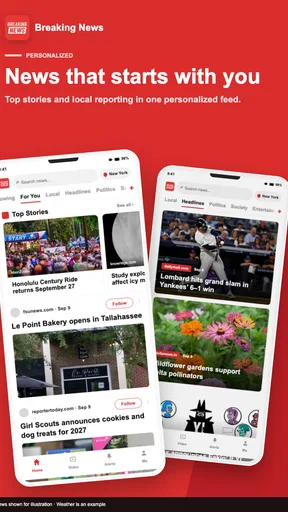
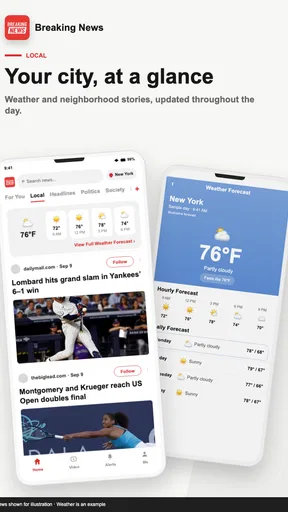
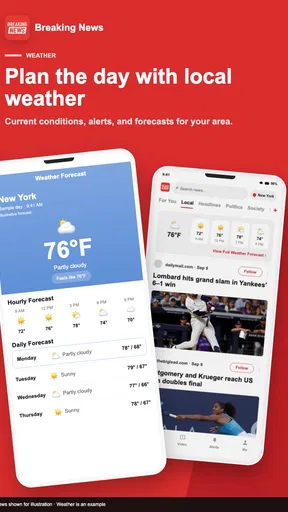
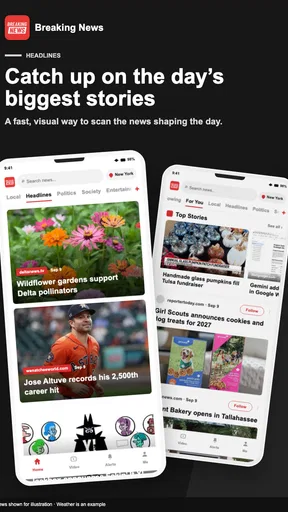
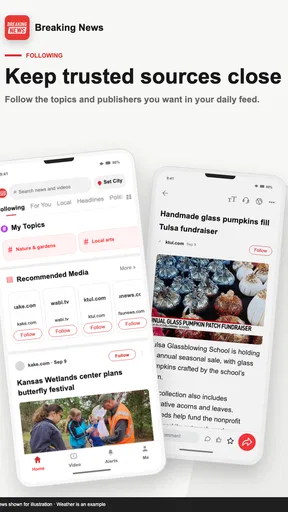
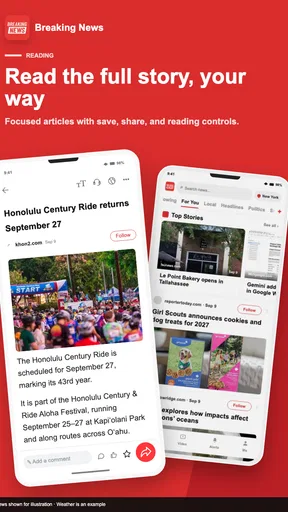
Our Review of Breaking News: Local & Latest
 Analysis by Appyee
Breaking News: Local & Latest is a free news and magazine app from LiveTech Limited that aims to make current events easier to follow in one place. I approached it as the kind of app I might open during a commute, before work, or when I want a quick sense of what is happening nearby without building a complicated reading routine. Its focus is straightforward: personalized, local, and breaking updates rather than a long-form magazine experience.
That focus is useful, but it also sets the right expectation. I would not treat it as a complete replacement for a newspaper subscription, a specialist publication, or an official emergency-alert service. I see it more as a convenient first stop: a way to scan developing stories, notice local subjects, and decide which events deserve a deeper read elsewhere. The app works best as a news starting point, not as the only source for important decisions.
Getting past the first points of friction
The first difficulty with a news app is often not reading the news. It is getting the experience to feel relevant. If the opening feed is too broad, too repetitive, or not local enough, I quickly lose the reason to return. With this app, I would spend a little time checking the initial setup rather than judging it after one brief launch. A personalized feed needs enough direction from the reader to become useful.
My practical approach is to begin with a clear idea of what I want from it. If I mainly need nearby updates, I would prioritize local interests and avoid selecting every available subject simply because it is offered. A crowded selection can make the feed feel noisy. If I want a wider news scan, I would add national or international topics gradually, after seeing whether the local stream already gives me enough value.
Another common sticking point is expecting personalization to behave like a perfect filter. It usually does not. Breaking stories can overlap several topics, and a local event may also appear under politics, weather, transport, business, or public safety. I would therefore judge the feed by whether it helps me discover relevant items, not by whether every card matches one narrow preference.
There is also a difference between “local” and “near me.” A local-news service may surface stories connected to a broader area rather than the exact street or neighborhood I have in mind. If the results seem close but not precise, I would first review the location or interest choices before assuming something is broken. That small check can save a lot of frustration.
The app is free and carries an Everyone age rating, which makes it approachable for a broad household audience. Still, suitability is not the same as emotional comfort. Breaking coverage can include upsetting subjects, so I would be careful about handing it to a child simply because the age label is broad. For family use, I would treat the content itself as the important consideration.
Simple checks before blaming the app
When updates appear late, I start with the ordinary causes. I check whether the device has a working connection, whether other apps can load fresh content, and whether the app has been left open long enough to refresh. News feeds depend on information arriving from outside the phone, so a weak connection can look like an app problem even when the installation is fine.
I also check whether the device is running a compatible system. The app supports Android 7.0 or later, so an older Android phone may not be a suitable test device. On a supported phone, I would close and reopen the app, then try again on a stable connection. These are unglamorous steps, but they separate a temporary loading issue from a genuine compatibility problem.
Version details matter as well. The current release is v1.7.4, and I would make sure the installed copy is not outdated before spending time changing settings. An update can resolve ordinary loading or presentation problems, while an old version can make troubleshooting misleading. I would also leave enough free storage for normal app operation, especially on a phone that is already struggling with several applications.
If the feed looks empty, I would not immediately reinstall. First, I would revisit the selected interests and local choices, restart the app, and test a different connection. Reinstallation can remove local app state, but it does not repair a problem caused by an unavailable network or an overly narrow selection. It is better used as a later step, not the first reaction.
I would also distinguish between a blank screen and a feed that simply has no fresh items matching my choices. Those situations feel similar but call for different responses. A blank screen suggests a loading or installation issue; a sparse feed may mean the selected area or topics are too specific. Widening the interests temporarily is a useful diagnostic test, not necessarily a permanent change to the way I want to read.
A practical routine for breaking updates
For everyday use, I would avoid treating every headline as an instruction to open the app immediately. A better routine is to scan once when I have a few minutes, identify the stories that affect my plans, and then return later only if something is genuinely developing. This reduces the temptation to refresh repeatedly and helps keep the app from becoming a source of background anxiety.
A realistic example would be a morning commute. I might check the local feed before leaving, look for transport disruption or a major nearby event, and then close the app. If I see a headline that could change my route, I would verify it through an official transport or public-service channel before acting. The news app is useful for alerting me to a possibility; the responsible next step is confirmation.
That workflow also helps with duplicate coverage. A developing story may appear more than once as it changes, and several headlines can describe the same event from slightly different angles. Instead of reading every version, I would compare the timestamps or visible context, then follow the clearest item. If the app presents several similar cards, that is a reason to slow down, not a reason to assume there are several separate events.
Another useful habit is to separate discovery from verification. I use the app to notice what deserves attention, but I do not rely on one headline for medical, financial, legal, or safety decisions. For those subjects, I would open the original authority or a trusted specialist source. This is especially important when a breaking story is still changing and early summaries may lack context.
If an article or update does not open, I would try the basic recovery sequence: return to the feed, reopen the item, check the connection, and restart the app. If only one story fails while other items load, the issue may be tied to that particular content source rather than the whole application. If nothing loads, the connection, app state, or device environment becomes more likely.
I would avoid repeatedly tapping a stalled card. That can create a confusing experience where several loading attempts appear at once. A short pause, followed by a clean restart, is usually a more sensible recovery path. If the problem continues after the system and version checks, I would note whether it affects every story or only one category. That detail is much more useful when seeking support.
When the news app may not be the culprit
News delivery is affected by more than the application itself. Network congestion, an unreliable Wi-Fi connection, mobile-data restrictions, and temporary problems at a content source can all make a feed appear slow or incomplete. I would test another connection before concluding that Breaking News: Local & Latest is failing. If other online services are also sluggish, the wider connection deserves attention first.
Location results can be misunderstood too. If a local story seems irrelevant, I would check whether the selected region is broader than expected and whether my interests are steering the feed toward popular general coverage. A mismatch between what I consider local and what the service considers local is not necessarily a technical fault. It may simply require a more careful setup.
Phone-level restrictions can create another layer of confusion. Battery-saving behavior, background limits, or aggressive network controls may affect how promptly a news app refreshes. I would check the device’s own battery and connection settings before assuming that the app is refusing to update. I would not disable every protection blindly; instead, I would make the smallest change needed to test whether the phone is limiting normal operation.
Storage pressure and an aging device can also make any reading app feel unreliable. If the phone is nearly full or other applications are freezing, I would clean up the device and test again. Because the app supports Android 7.0 and later, compatibility is broad, but supported does not always mean equally smooth on every older handset. My expectations would be more modest on hardware that already struggles with ordinary browsing.
There is a content-quality distinction worth keeping in mind. A headline can be accurate as a brief alert while still being too short to explain the full situation. If I need background, source documents, expert analysis, or a complete timeline, I would use a dedicated publication or official source alongside this app. A personalized breaking-news feed is optimized for awareness and speed; it is not automatically the best tool for depth.
Where it fits beside familiar alternatives
Compared with opening several newspaper websites manually, this app can be more convenient for a quick cross-topic scan. Its local and personalized orientation gives me a reason to use it when I want a compact overview rather than a single publisher’s viewpoint. The trade-off is that a newspaper or specialist outlet may offer stronger editorial depth, clearer long-form context, and a more consistent reporting identity.
Compared with social media, I would prefer this app when I want less dependence on a constantly moving conversation. Social platforms can surface stories quickly, but they also mix reporting with reactions, speculation, and personal posts. A news-focused app is a calmer starting point for discovering what matters. I would still verify urgent claims, because a headline feed does not remove the need for source judgment.
Compared with official alert tools, this app serves a different purpose. Official services are the better choice for evacuation instructions, emergency warnings, public-health directions, or local authority notices. Breaking News: Local & Latest can help me notice that an event is happening, but I would not use it as my sole safety channel. That distinction is one of the most important practical limits.
Compared with a highly specialized finance, sports, technology, or weather app, it may feel less focused. Someone who only wants match scores or market movements will probably prefer a dedicated service. Its advantage is breadth and discovery, especially for readers who want local developments alongside wider headlines without maintaining several separate apps.
Who should install it, and who should skip it
I think it suits readers who want a free, lightweight way to check local and current stories, especially those who do not want to follow many individual publishers. It is also a reasonable option for someone building a simple morning news habit: scan, identify what matters, verify important details, and move on. The broad age rating makes it easy to consider for general household use, provided adults remember that breaking coverage can be sensitive.
I would be more cautious recommending it to someone who needs guaranteed emergency notifications, deep investigative reporting, or a carefully curated specialist briefing. Those readers should use official alerts, established publications, or subject-specific apps as their primary tools. I would also skip it if I strongly dislike changing headlines and prefer a fixed daily edition with a clear beginning and end.
The public response gives a useful but limited signal: the app has a 3.9 average from around 262 ratings, with over 100K installs and two written reviews. I read that as evidence of real use rather than a reason to assume universal satisfaction. The rating suggests a mixed experience, which fits an app whose usefulness depends heavily on local relevance, connection quality, and personal expectations.
My final view after using it as a daily news tool
Breaking News: Local & Latest is most convincing when I use it as a practical discovery layer. It can help me notice nearby developments and breaking subjects without requiring a separate visit to every news source. The best results come from a measured setup, a willingness to refine interests, and a habit of checking important claims elsewhere.
Its limitations are just as clear. A broad news feed cannot replace official emergency communication, specialist reporting, or detailed analysis. Some apparent problems may come from the network, device restrictions, or an overly narrow setup rather than the app itself. That means the right troubleshooting order is simple: check the connection, confirm the Android requirement and current version, review interests and location, restart cleanly, and only then consider reinstalling.
LiveTech Limited has positioned this as an accessible News & Magazines app rather than a premium newsroom replacement. At no cost, it is worth trying if local awareness and quick updates are what I need. I would keep it alongside—not instead of—trusted primary sources. For a reader who understands that trade-off, it can become a handy first glance at the day; for anyone seeking authoritative, complete, or emergency-critical information, a different option should lead the workflow.
Verdict
Strengths of Breaking News: Local & Latest
- Quick access to breaking stories from nearby areas and around the world.
- Clean layout makes it easy to scan headlines and open full articles.
- News categories help users focus on topics they care about.
- Frequent updates keep the feed current throughout the day.
- Useful for comparing local developments with wider global coverage.
Limitations of Breaking News: Local & Latest
- Some stories may repeat across different sources or categories.
- Breaking alerts can become frequent and distracting during busy news cycles.
- Coverage quality may vary depending on the location and available sources.
- Some articles may require opening external websites to read in full.
- News feeds can occasionally include sensational headlines or limited context.
Similar Picks in This Category
View All
Google News - Daily Headlines
Google LLC4.0

X
X Corp.4.8

Flipboard:Your Social Magazine
Flipboard3.4

Opera News: breaking & local
Opera4.5

Hindi News by Dainik Bhaskar
Dainik Bhaskar Group4.0

Way2News Daily News App
Way2News ( Formerly Way2SMS )4.6
Frequently Asked Questions
What is Breaking News: Local & Latest?
Breaking News: Local & Latest is a news application designed to help users follow current events from nearby communities and around the world. It brings together breaking stories, local reports, national headlines, and international coverage in one place. During testing, the app was most useful for quickly scanning important updates, then opening individual articles for more context and details.
How does the app personalize news coverage?
The application can tailor the news experience according to your location and selected interests. Local content may be based on the region you choose or the location permissions you grant, while topic preferences can help prioritize areas such as politics, business, sports, technology, or entertainment. Users who prefer greater privacy can usually review permissions and adjust location access through their device settings.
Does Breaking News: Local & Latest provide real-time notifications?
The app may send alerts for breaking stories and other important updates, making it useful when you want to know about major events as they develop. However, the number and urgency of notifications can vary depending on your preferences, location, and the available news sources. Before downloading, check the notification settings so alerts remain helpful rather than becoming distracting.
Is the news content reliable and free to read?
Breaking News: Local & Latest can provide access to stories from different publishers or news sources, but the accuracy and depth of coverage may differ from one article to another. It is wise to compare significant claims with established sources, especially during developing events. The app may be free to download, although some articles, features, advertising, or subscription requirements can depend on the provider.
What permissions and device features does the app require?
The permissions required can vary by Android or iOS version and by the features you enable. Location access may be requested for local headlines, notifications may be needed for breaking alerts, and internet access is essential for loading current articles. Review each permission during setup and disable anything unnecessary. Limiting permissions may reduce personalization but should not prevent basic news browsing.
